设为首页
收藏本站
首页
光电资讯
光电论坛
科技博客
互动社区
光电小圈
精选话题
Collection
社区排行
登录
登录
行业动态
科技新知
会展会议
行业人物
光电科普
技术百科
光电商情与信息交流
光电理论及应用技术
光电同行在线互动区
每日一记
精彩分享
社区图库
光电工程师社区
»
光电论坛
›
光电理论及应用技术
›
光学设计与光学软件应用
›
显微摄影
返回列表
发新帖
显微摄影
2.1k
0
liuyongmeng
Lv.8
发表于
2004-9-10 04:31:00
|
黑龙江
|
查看全部
阅读模式
<P>显微摄影</P>
<P><a href="http://online.nankai.edu.cn/courseware/photograph/8-6.htm" target="_blank" >http://online.nankai.edu.cn/courseware/photograph/8-6.htm</A></P>
回复
转播
使用道具
举报
提升卡
置顶卡
沉默卡
喧嚣卡
变色卡
抢沙发
千斤顶
显身卡
返回列表
发新帖
回复
高级模式
B
Color
Image
Link
Quote
Code
Smilies
您需要登录后才可以回帖
登录
|
注册
本版积分规则
发表回复
回帖并转播
回帖后跳转到最后一页
liuyongmeng
Lv.8
工程大师
主题
回帖
0
积分
1548
+ 关注
发消息
请教表面类型中滤波器参数的G如何设置?
2004-11-03
急求zemax如何显示光强分布图,最好是多视场在一起的光强图??
2004-10-13
请教TracePro如何设计微透镜阵列!
2004-09-28
Zemax如何设计微透镜阵列?
2004-09-28
请教斑竹TracePro模拟微光学器件
2004-09-19
更多作者好帖
图文热点
安光所团队在双偏振腔衰荡光谱研究方面取得
0 人气
#光电科技资讯与展览会议
长春光机所在基于界面极化效应的III族氮化
0 人气
#光电科技资讯与展览会议
电子工程师的进阶之路:电路仿真、系统调试
0 人气
#电子电路电气与自动控制
从单光子到超高清:AI驱动的微弱光信号还原
0 人气
#AI智能算力及光计算技术
推荐话题
1
单芯片、高功率1550nm 半导体激光器的激光雷达光源,你了解多少?
25761 阅读
hope2008
2
应用 | 1710 nm半导体激光器,透明和白色塑料焊接应用的新利器
29271 阅读
hope2008
3
专业提供红外产品镀膜服务
29376 阅读
pitter_li
4
ZEMAX标准成像+照明设计课程(上海 2019.3.25-30)
26472 阅读
wjjandlh
5
镀膜培训资料
34070 阅读
maomao1112
最新发布
安光所团队在双偏振腔衰荡光谱研究方面取得
长春光机所在基于界面极化效应的III族氮化
电子工程师的进阶之路:电路仿真、系统调试
从单光子到超高清:AI驱动的微弱光信号还原
赋予光以智慧:AI在现代计算成像中的应用与
仿生甲虫机器人问世!昆虫级机动能力或改变
从“追光者”到“破局者”:一个光学工程师
上海光机所提出面向集成光子器件应用的3D打
上一主题
下一主题
浏览过的版块
广告及供求信息发布专版
光电科技资讯与展览会议
关于我们
关于我们
加入我们
新闻动态
联系我们
服务支持
官方商城
成功案例
常见问题
售后服务
投诉/建议联系
admin@discuz.vip
未经授权禁止转载,复制和建立镜像,
如有违反,追究法律责任
关注公众号
添加微信客服
Copyright © 2026
光电工程师社区
版权所有
All Rights Reserved.
Powered by
Discuz!
X5.0
Licensed
鄂ICP备17021725号-1
首页
论坛
发布
消息
我的
关灯
在本版发帖
扫一扫添加微信客服
返回顶部
快速回复
返回顶部
返回列表
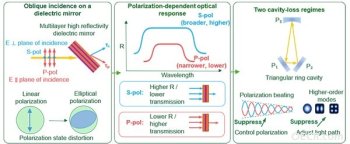 安光所团队在双偏振腔衰荡光谱研究方面取得0 人气#光电科技资讯与展览会议
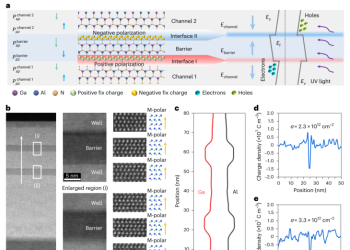 长春光机所在基于界面极化效应的III族氮化0 人气#光电科技资讯与展览会议
 电子工程师的进阶之路:电路仿真、系统调试0 人气#电子电路电气与自动控制
 从单光子到超高清:AI驱动的微弱光信号还原0 人气#AI智能算力及光计算技术
 pitter_li
 maomao1112

 提升卡
提升卡 置顶卡
置顶卡 沉默卡
沉默卡 喧嚣卡
喧嚣卡 变色卡
变色卡 抢沙发
抢沙发 千斤顶
千斤顶 显身卡
显身卡 hope2008
 wjjandlh